Fibonacci Sequence in Piet
you reading this note means the page you are on is still under construction, unfinished or prone to future changes. viewer Discretion is advised
Around August of 2025 I started to mess around with the esolang piet, a programming language where programms are encoded withing the pixels of a 20 colour image. My goal was to write a simple programm that calculates the n-th fibonacci number. This page loosley documents this endeavour and serves as a showcase for its results.
Preliminary Fluff
Esoteric programming languages are neat. For those who dont know, esoteric programming languages (or esolangs for short) are programming languages that where deliberatly written with diffrent kinds of arbitrary constraints on them and are therefore not suited for practical use. Writing code in esolangs is almost always a pain and a lot of them are jokes that went to far.
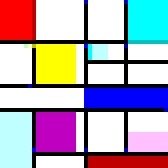
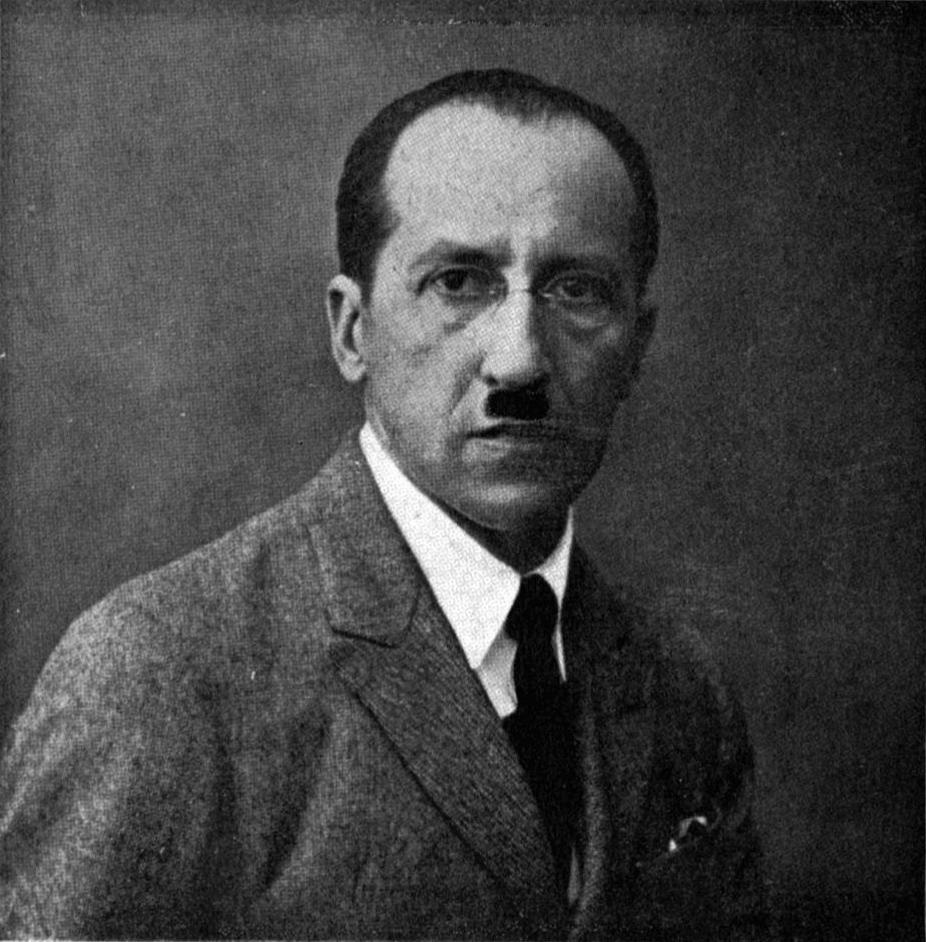
Still, some esoteric languages manage to present new and interesting approaches to writing code. One of them would be piet, which is named after the dutch artist Piet Mondrian, who, besides styling his mustache in a rather unfortunate manner, developed a very distinct style that probably influenced the creation of piet. Piet stuck out to me, since programms are not written with characters, but are encoded in the pixels of an image. When I first heared of piet, I did what I always do when hearing about an interesting esolang: I note down its existence in the area of my brain that is responsable for managing funfacts and then go one with my day.
But piet manged to sneak back into my life in the form of a youtube video by Alex Lugo.
In the video Alex goes over the way a piet programm is interpreted and although I did not understand how the programm was supposed to terminate, I saw that piet was less intimidating and more fun than I thought.
Therefore I decided to reference the official documentation watch another video and try to write/draw my first piece of esolang code.
Calculating Fibonacci Numbers
The formula for calculating fibonacci number is pretty simple: Starting with 0 and 1, itterativly add the last two numbers of the sequence and append the result to the end; Repeat until you have reached your target number.
Hey!!! I’m happy you are interested :D, let me show you around: We use three variables; the n and the last two fibonacci numbers in hour chain f1 / f2.
n is the input of the programm
We add up and realocate f2 and f2 until n reaches 0.
f(0) = 0, f(1) = 1, f(n) = f(n-2) + f(n-1)
Usually writing a programm that does this for you is pretty simple, but since piet uses stack based logic (a programming paradigm which I am not all that used to), implementing it was a fun challenge.
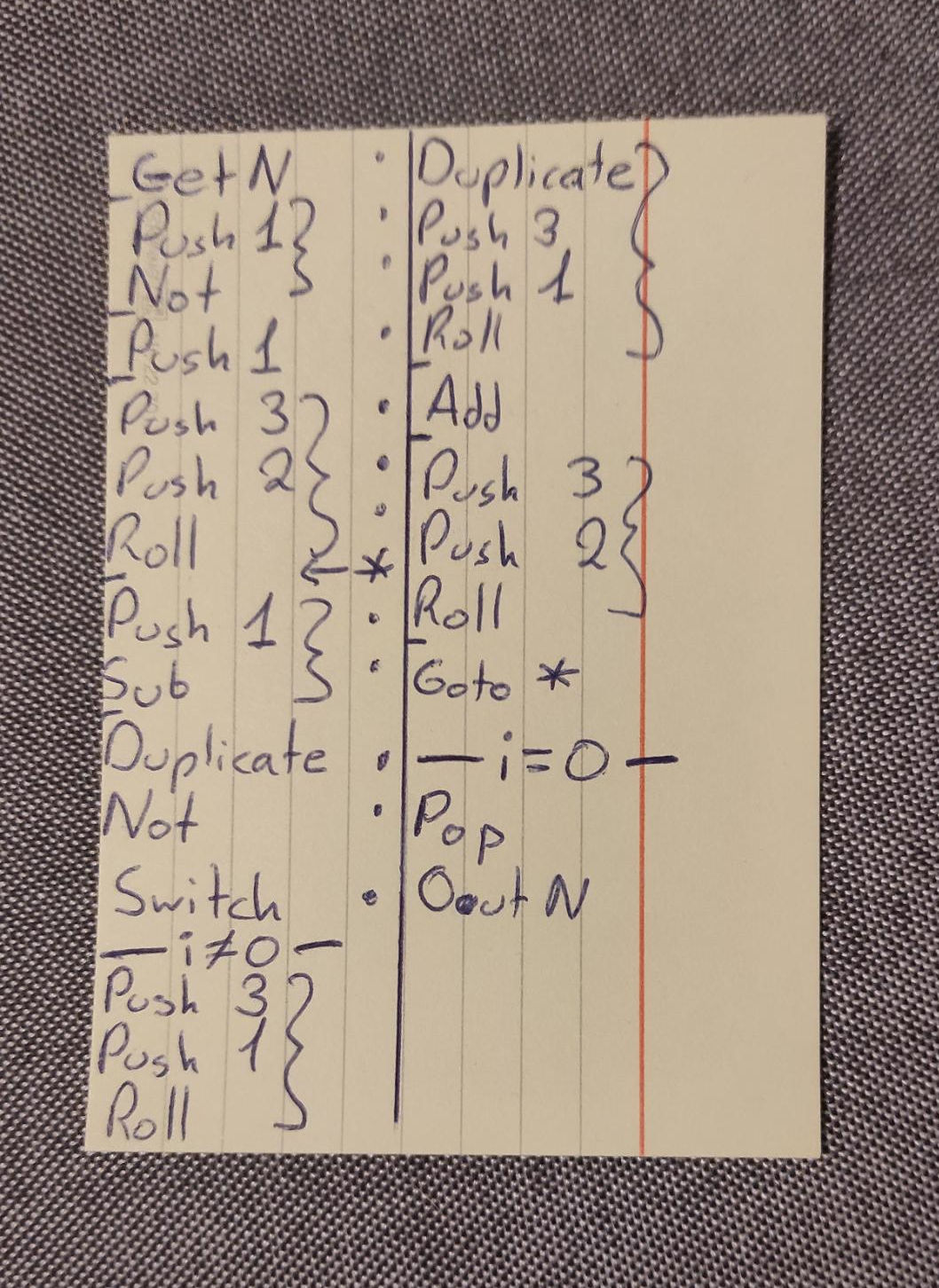
After about half an hour with pen and paper, I ended up with this pseudo code -->
I dont want to bore you to death, but if you are interested in learning what the code does
click here
stack: f1 f2 n -> f1 f2 f1’ n -> f2’ f1’ n -> f1’ f2’ n
How Piet Works
Disclaimer: The following is just a shallow synopsis of the basic workings of piet. I wont go into stack based programming or explain all the different operations. If you are really interested writing somthing in piet, I highly advise you to watch this video from Truttle1
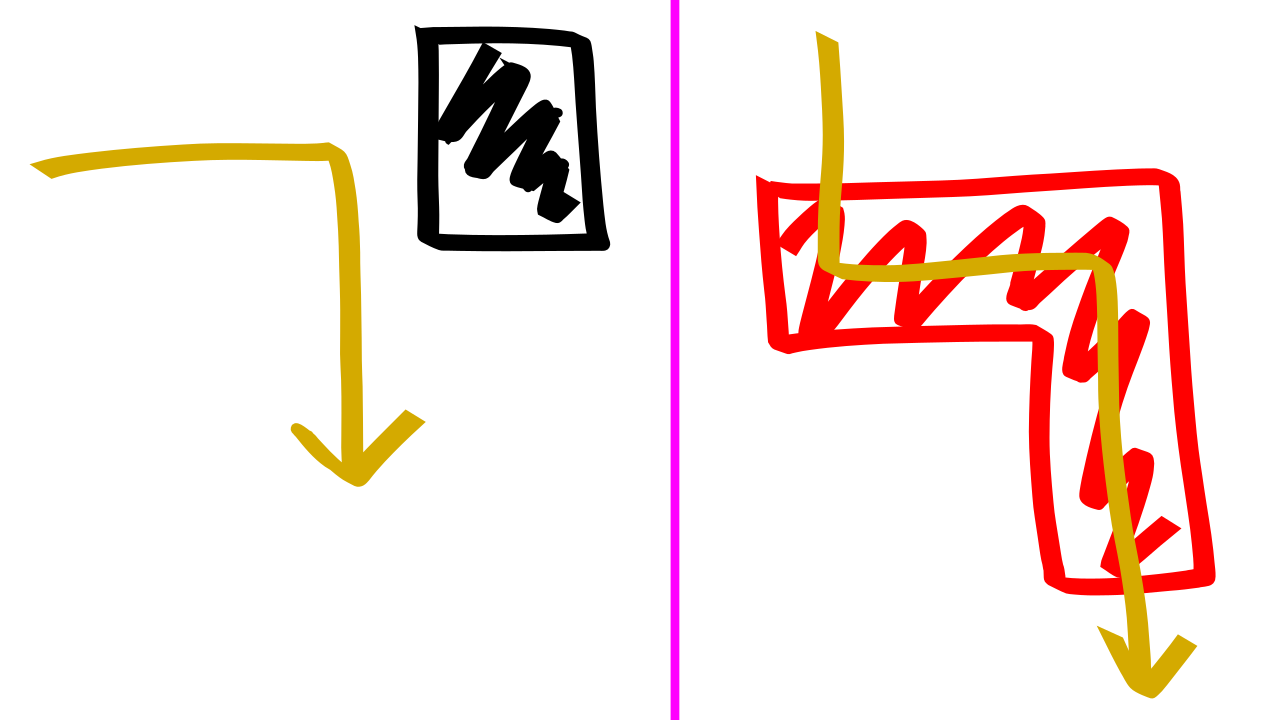
Piet interprets images that are composed of up to 20 colours, by simulating the movment of a direction pointer that starts in the top left corner. For the most part the pointer travels in a straight line in one of 4 directions (right default , down, left, up). White pixels are ignored, the direction pointer passes through them without executing any commands. Black pixels act as walls, through which the pointer cannot move. When encountering a black pixel the current direction is rotated by 90 degrees clockwhise and the programm is resumed. If stepped on a non-white, non-black pixel, the direction counter moves as far as possible in the direction it is currently traveling in, whilst only moving on adjacent pixels of the same colour this group of pixels is called a colour block . Thats where the real fun begins :)
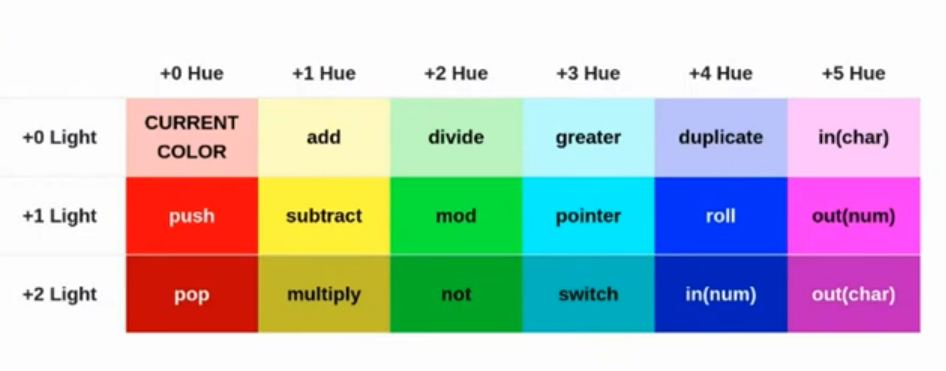
When the direction pointer crosses from one colour bloack to the next, it detects the relative shift in colour hue and lightness. The combination of these shifts corespond to one of 18 stack operations, which are in turn executed as soon as shift happens. If for example the direction pointer moves from a light red block to a a light yellow block, the interpreter performs the add operation, since there is no shift in the lightness but a shift of 1 in the hue.
Some operations such as the push command are affected by the size of the colour block. Lets imagine the direction pointer enters a light red colour block, followed by an arbitrary sized red colour block. The resulting stack operation would be push n, wehere n is the number of pixels in the light red colour block.
Now it is time to talk about conditionals. The two main ways conditionals are implemented in piet have to do with the behaviour of the direction pointer, since its movment directly corelates with the programm flow. As I have mentioned one can change the direction of the direciton pointer by blocking its path with a black pixel. But there is an easier way to do this, the pointer operation. It pops the top stack value and rotates the direction clockwhise that many times (counterclockwhise for negative integers).
Another way we can change the behaviour of the direction pointer is via the so called codal choser. When the direction pointer enters a colour block with multiple valid pixels for the pointer to start its next move from (as seen in the figure below), it is the job of the codal choser to resolve this situation in a deterministic fashion. The codal choser can hold the values left default or right and is always relative to the current direction of the direction pointer. When there are multiple valid endstep locations, the one furthest in the direction of the codal choser relativ to the direction pointer is picked.
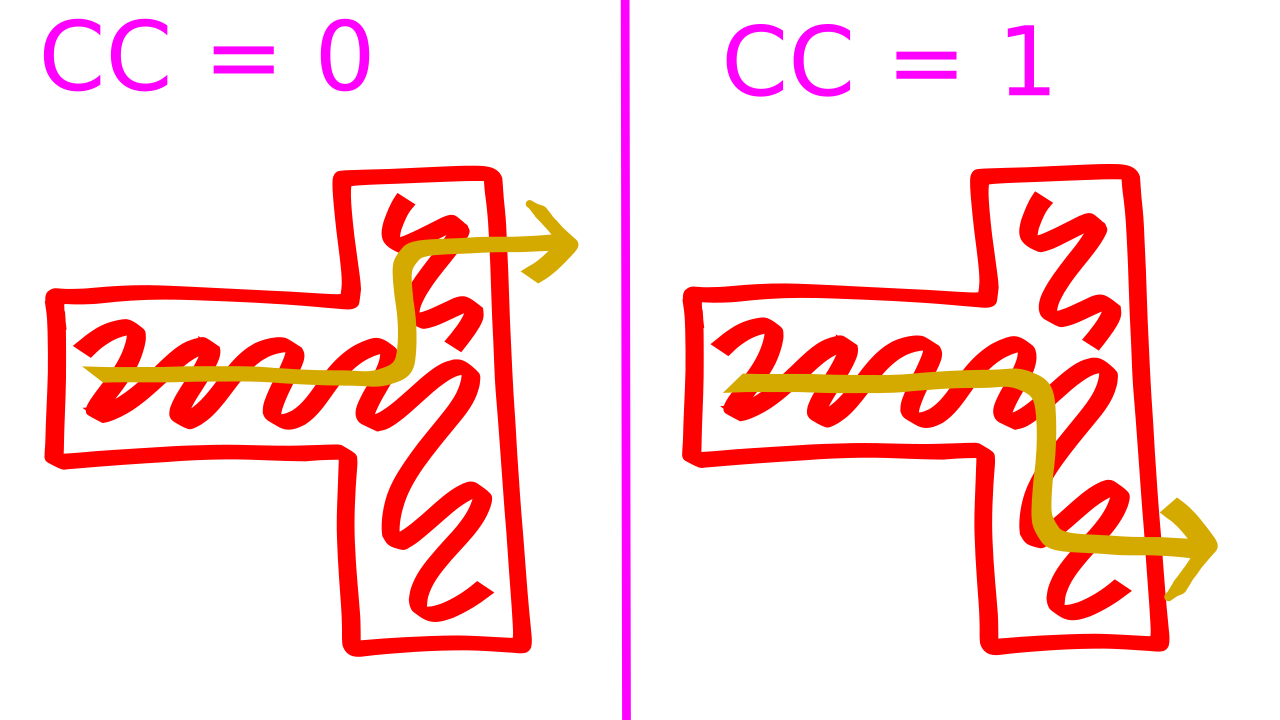
This way we can easily change the programm flow, without needing to change direction. The codal choser is changed via the switch operation. When it is executed, the top stack value is popped and the direction of the codal choser is swaped that many times (absolute value for negative integers).
End Results
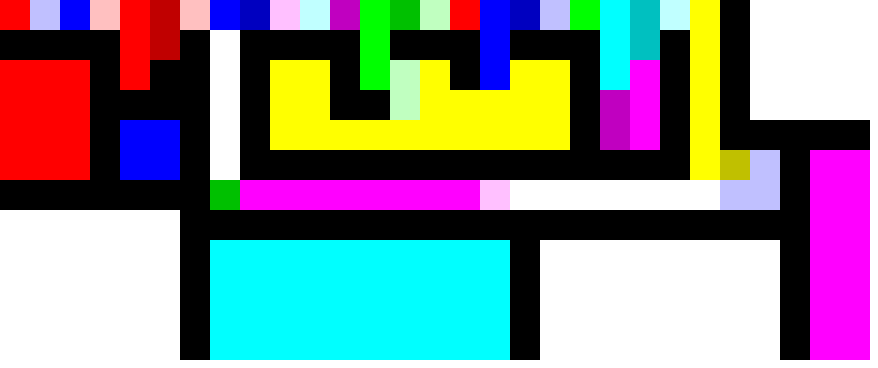
|- V1 -| My first draft of the programm is nothing special. It works, it computes and it looks colorfull and a bit messy. Since these where my first steps with piet, I didnt do anything fancy. I just followed my notes and debugged where necessary until I got a working programm. Afterwards I decorated the bits that where still whitespace and called it a day.
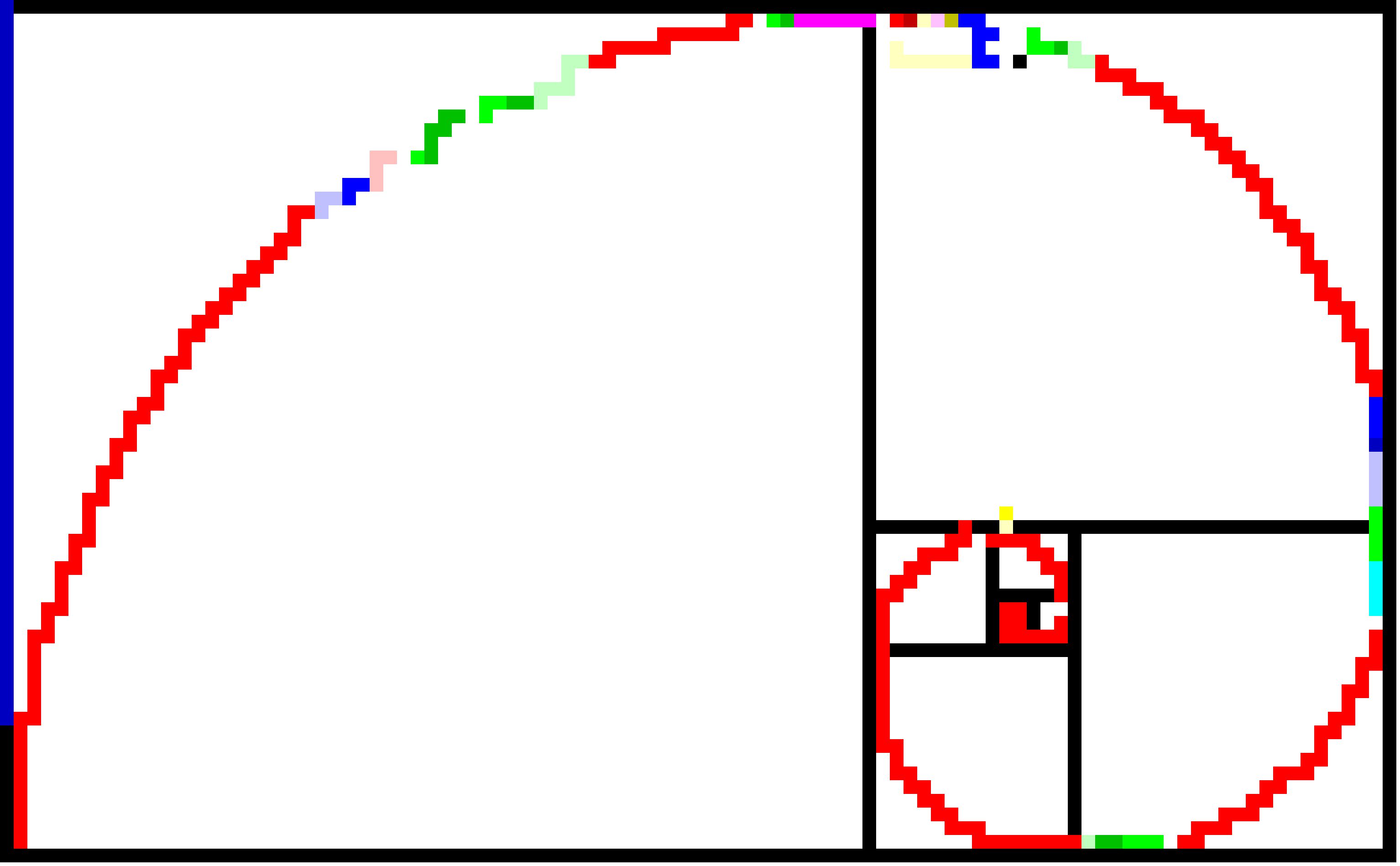
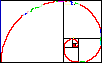
|- V2 -| The second version on the other hand is somthing that I am actually somewhat proud of. It is functionally the same as V1, but with 100% more golden ratio. The idea for it came soon after I had finished with the original version, but I only started to work on it 3-4 months later. I think it was more difficult to get the spiral right than encoding the actual logic, even though the logic also brought some unique challenges to the table. At the end I am quite happy on how it turned out.
WARNING: List of known bugs
Two are fake, one is real:- Crashes when encountering fibonacci numbers which are multiples of 22
- Loops indefinetly for input values below 1 ;_;
- Occasionaly leaks your IP to the Columbian goverment
You can run the programm on your machine by downloading an interpreter like npiet or just in your browser by uploading it to npiet online or the online editor I used. Be sure to use the following pngs (v1, v2), since I am not really sure if most piet interpreters support the svg versions I used above. If you want to learn more about piet and how my programm is structured keep on reading. If not you are welcome to go elsewhere.

Conclusion
If you are familiar with programming, I recommend you give piet or some other esolangs a try. The limitations they provide can transform an otherwhise simple programming task, into a pleasently challenging mini-project. They can also act as a form of artistic expression for people, who may find it difficult to spend precious energy on something with no quantifiable purpose (and by people I am refering to myself).
Bonus Section?
Bonus Section!
Im not exactly sure how or when I got introduced to esoteric programming languages, but I think it had to do with [ArnoldC](https://esolangs.org/wiki/ArnoldC). Its a simple joke: just replace commands from the C programming language with famous Arnold Schwarzenegger quotes and enjoy compiling and executing the silly movie script that your programm has become. But although it is a simple joke, someone had to put in the time and efford to not only think of the joke, but also willingly build a compiler for the joke, only to end up with a tool, which activly hinders its user with the task at hand. Obviously this not only enhances the original joke, but also creates a whole new level for the joke to work on, when people start wasting their time, purposefully using an unpractical tool. This is why esolang just ooze with artistic energy and the reason why I personally love the concept so much.Since this first encounter with ArnoldC I learned about a lot more esolangs. Of course there is Brainfuck, a classic example for an esolang. Its compiler was desinged to be extremly compact. The language consists out of eight commands (< > + - . , [ ]) that simulate a Turing machine. Because of its simplicity it has lead to somwhat of an esolang subgenre, called “we reskinned Brainfuck and gave it a silly name”-punk.
FRACTRAN is a language that I still cannot not fully wrap my head around. It was created by the academic embodyment of the phrase “jack of all trades, master of none” (if we disregard the fact that he kind of was a master of all), John Conway. A FRACTRAN programm is composed of a list of fractions and a natural number n. In each iteration n is multiplied with a fraction f of the list. If the resulting number is another natural, replace n with the product nf and move on to the next fraction. Repeat until the product nf is no longer a natural. The actual in-/output of the programm is encoded in the prime fractors of the first and last n, where the prime exponents act as registers. I do not know how Conway came up with that idea, but I am equal parts amazed and frightend by FRACTRAN. I look forward to the day where I will be able do grasp FRACTRAN programms.